Storefront Try-On Widget
One <script> tag on your storefront puts a TRY ON button on every product card. The shopper uploads one photo, then tries on anything in a single click. No backend work and no API integration on your side.
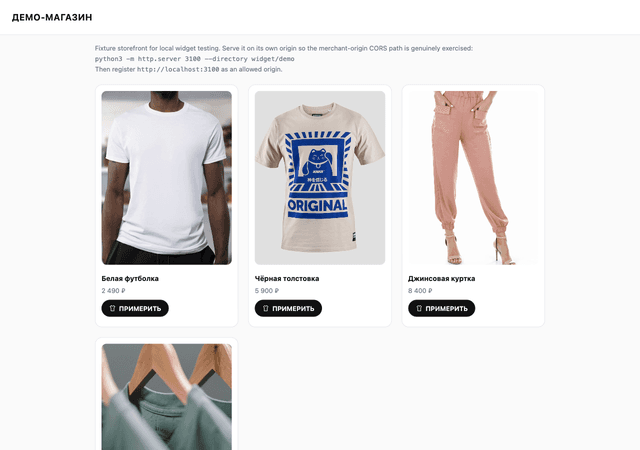
Install in 4 steps
1. Create a publishable key
Under "API Keys", pick the "Publishable" type. It starts with pk_live_ and is meant to sit in page source: it can only open a try-on, and only from your own domains. Never put a secret tn_live_ key in HTML — that one has full API access.
2. Add your storefront domains
Give the full origin including the scheme: https://shop.example.com. Requests from anywhere else are refused. Removing a domain later kills sessions that are already open, immediately.
3. Paste the tag on your catalogue pages
Put it before </body> on any page with product cards. The script is async and does not block rendering; if anything goes wrong it does nothing at all rather than breaking your storefront.
<script src="https://cdn.try-nova.shop/w/v1.js"
        data-key="pk_live_your_key"
        async></script>
4. Point it at your product cards
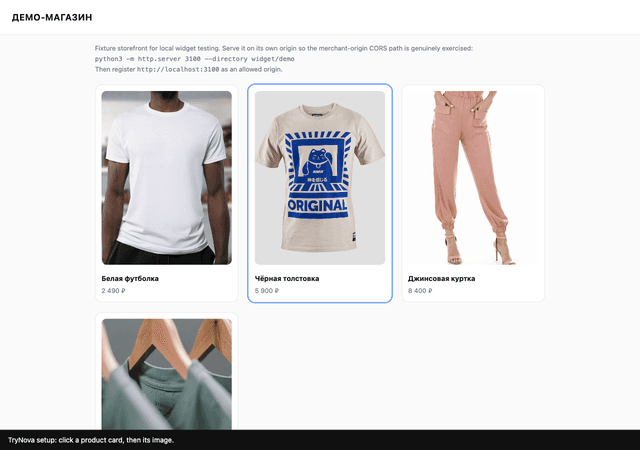
Open your own storefront with the setup link, click a product card, then click that product's image. The widget derives the selectors and saves them. Nothing to rebuild or redeploy — you can change them any time.
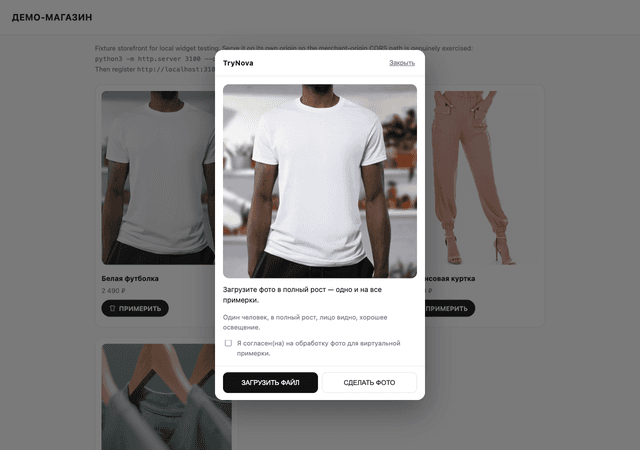
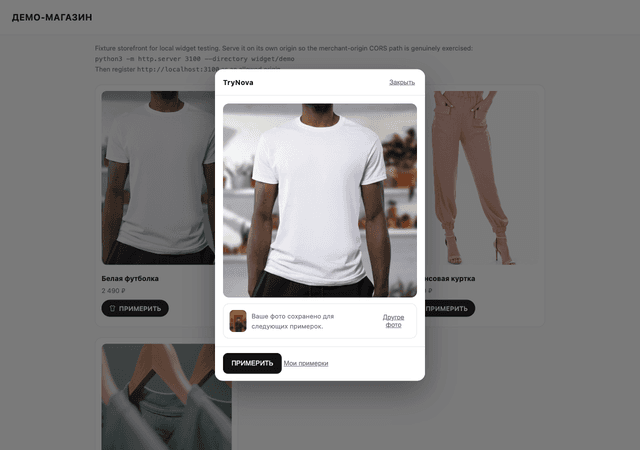
What the shopper sees
The panel opens over your page in an isolated iframe. The shopper's photo lives only inside it — scripts on your page cannot reach it.
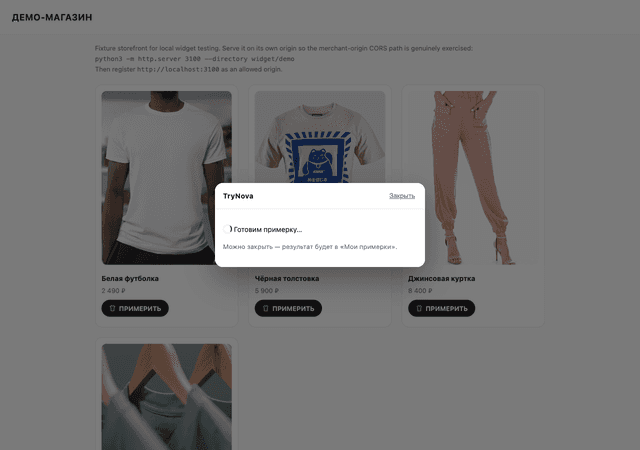
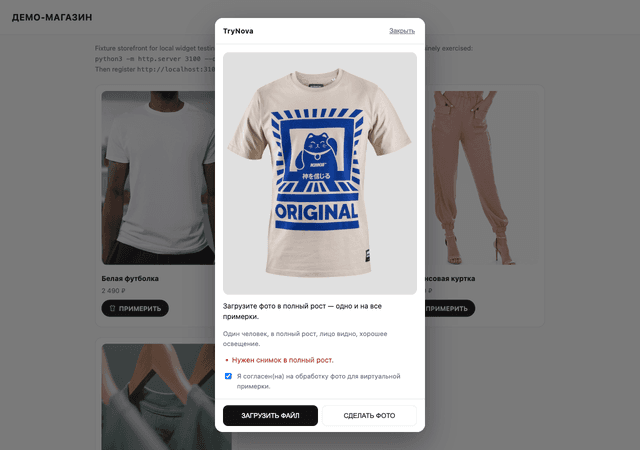
When a card is unusual
Sometimes a card's main image is an on-model shot or a banner while the garment to try on is a different image. Put an attribute on the card — it wins over any dashboard setting.
<div class="product" data-trynova-garment="https://cdn.shop.com/item-flat.jpg">
  …
</div>
What it costs
The widget spends from the same balance as the API. There is no separate widget plan.
| Image try-on | 1 vto credit per rendered result |
| Video try-on | by duration from the tryon_video balance (5s = 1, 8s = 2, 10s = 3, 15s = 4) |
| Shopper photo check | free |
| Same photo + same garment again | free — the existing result is returned |
| Failed generation | credits are refunded automatically |
Spend protection
- Store daily ceiling
- a hard per-day credit cap. Once reached, buttons stop appearing on new page loads and in-flight try-ons return a clear error.
- Per-shopper cap
- how many try-ons and videos one visitor gets per day.
- Duplicates and double taps
- a repeated submit never creates a second job or a second charge.
- Human check
- suspicious activity triggers a Cloudflare Turnstile challenge — before anything is charged.
Shopper data
- — The photo is kept in private storage and is never handed back at full resolution — only a blurred thumbnail.
- — A shopper profile belongs to your store alone: the same person on another site is a separate record, and the two are never joinable.
- — Photos expire on inactivity and on an absolute deadline, whichever comes first. Both are configurable.
- — If the browser cannot store anything (private mode), the profile is dropped after 24 hours and the shopper is told so plainly.
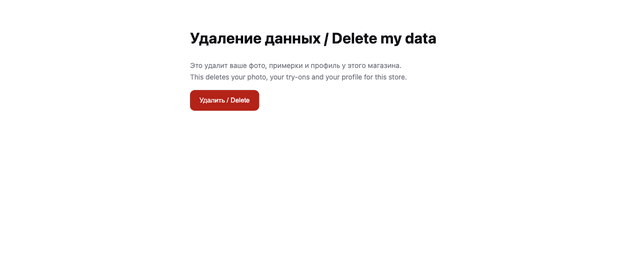
- — Shoppers can erase everything themselves — from the panel, or via a permanent link that still works after you remove the widget.
Language
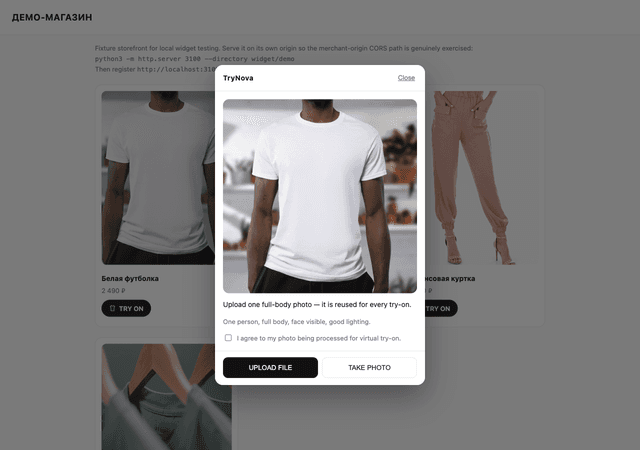
The widget ships in Russian and English. You pick one per store and it applies to everything a shopper sees — the button label, every panel screen, photo rejection reasons, and the data deletion page. Russian is the default.
| Card button | ПРИМЕРИТЬ / TRY ON |
| Try-on panel | fully translated |
| Photo rejection reasons | fully translated |
| Data deletion page | opens in the store's language, from the link the shopper kept |
Video try-on
Optional and off by default. When enabled, a shopper can animate a finished try-on into a short clip. It is a separately charged operation with its own balance and its own daily ceiling; the original try-on is not re-rendered.
Events for your analytics
The widget reports completed try-ons so you can forward them to your analytics.
window.TryNova.on('tryon:complete', function (e) {
  // e.request_id, e.output_format
  dataLayer.push({ event: 'trynova_tryon', id: e.request_id });
});
If something is off
| Symptom | Cause |
|---|---|
| No buttons at all | The storefront domain is not on the allowed list, or the key was revoked. |
| Buttons on some cards only | The card selector does not cover every layout variant. Re-run setup mode on the page that is missing them. |
| The wrong item gets tried on | The card resolves to the wrong image. Set data-trynova-garment on that card. |
| "A full-body shot is required" | Not a bug: the photo check is strict on purpose — one person, full body, face visible. A bad body photo would degrade every try-on built on it. |
| "This store has reached its daily limit" | The store daily ceiling is spent. Raise it, or wait for the next day. |